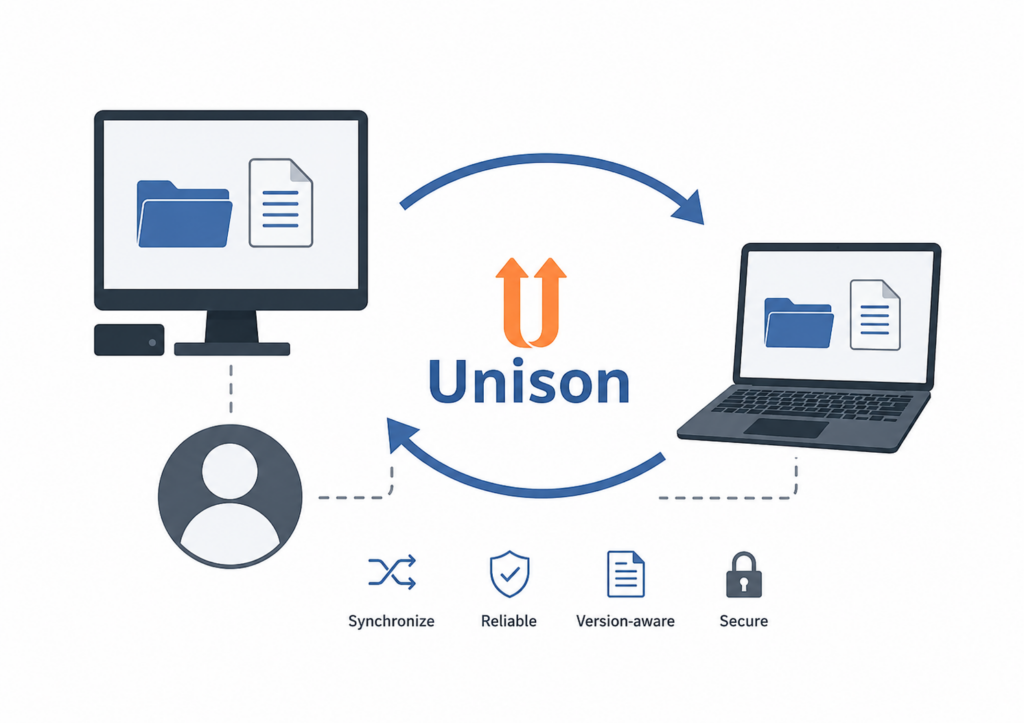
Sync roaming profiles between two Samba AD DCs with Unison
Disclaimer: This website is not affiliated with, endorsed by, or officially connected to the Unison project. I am not a contributor to the Unison project. The Unison name and the official Unison project logo are used solely to identify the software discussed in this article. All trademarks, logos, and project names remain the property of their respective owners.
This section describes a practical method for synchronizing Windows roaming
profiles between two Linux servers running Samba AD DC. It is intended for
small environments in which users may log on at either site, but the profile
share is not actively used on both servers at the same time.
The setup uses Unison for bidirectional file synchronization.
Unlike a continuously replicated filesystem, Unison can compare two independent
directory trees and propagate changes in both directions. However, roaming
profiles must never be synchronized while they are in use.
This is not a replacement for file locking or a clustered filesystem.
Before running Unison, verify with
smbstatus on both servers thatno profile is currently open. If a profile is in use on either server, skip
the synchronization run.
Why the default Unison configuration is not sufficient
A Samba profile directory contains more than normal file contents. Windows ACLs
and the corresponding Linux ACL information are stored in extended attributes.
On a Samba server using the usual ACL integration, the relevant attributes can
include:
security.NTACL
system.posix_acl_access
system.posix_acl_default
Synchronizing only the file contents is not enough. If these attributes are not
copied, the destination file may be created by the account running Unison,
usually root. Windows may then show the owner as
Administrator, and the POSIX ACL mask may restrict the effective
permissions even though the Windows ACL data appears to be present.
For example, an ACL entry may contain rwx but be limited by the
POSIX ACL mask:
user:DOMAIN\username:rwx        #effective:r--
mask::r--
The result is that the user can read the file but cannot modify or delete it.
The Unison profile therefore needs to preserve both the Samba NT ACL attribute
and the POSIX ACL attributes.
Samba configuration
Unison creates temporary transfer objects in the directory containing the
destination file. Their names normally look like:
.unison.filename.unique-id.unison.tmp
If these objects are visible through the profile share, Windows may download
them into the local roaming profile. If a transfer is interrupted, the temporary
objects may then be uploaded again when the user logs off.
Add the following options to the Samba profile share:
[profiles]
    path = /srv/samba/profiles

    veto files = /.unison.*.unison.tmp/
    delete veto files = no
The veto files option hides matching files and directories from SMB
clients. Linux programs, including Unison, can still access them directly on the
server.
Keeping delete veto files = no prevents a Windows client from
recursively deleting hidden Unison transfer objects when it deletes a parent
directory. The trade-off is that Windows may be unable to delete a directory
which still contains a vetoed object. Unison should normally remove its temporary
objects after a successful transfer.
After changing smb.conf, validate and reload the configuration:
testparm
smbcontrol all reload-config
Depending on the installation, reloading the Samba AD DC service may be used
instead:
systemctl reload samba-ad-dcMinimal Unison profile
The following example synchronizes the profile root on the local server with
the corresponding directory on a second Samba server:
# ~/.unison/profiles.prf

root = /srv/samba/profiles
root = ssh://root@<second-dc-host>//srv/samba/profiles

auto = true
times = true
fastcheck = true

# Do not synchronize normal Unix mode bits.
perms = 0
dontchmod = true

# Preserve Unix ownership.
owner = true
group = true

# Synchronize extended attributes.
xattrs = true

# Samba Windows security descriptor.
xattrignorenot = Path !security.NTACL

# Linux POSIX ACLs and their effective ACL mask.
xattrignorenot = Path !system.posix_acl_access
xattrignorenot = Path !system.posix_acl_default

# Use rsync-style delta transfer where possible.
rsync = true

confirmbigdel = true
maxerrors = 10
maxthreads = 1
retry = 3

sshargs = -o ServerAliveInterval=30 -o ServerAliveCountMax=6

log = true
logfile = /var/log/unison-profiles.log
Explanation of the important preferences
xattrs = true-
Enables synchronization of extended attributes. This is required because
Samba stores important Windows metadata outside the normal file contents. xattrignorenot = Path !security.NTACL-
Explicitly allows Samba’s Windows security descriptor to be synchronized.
Security-related attributes are normally treated carefully by Unison and
should be enabled only when both replicas belong to the same trusted
environment. xattrignorenot = Path !system.posix_acl_access-
Preserves the POSIX access ACL. This includes named users, named groups and
the ACL mask that determines the effective permissions. xattrignorenot = Path !system.posix_acl_default-
Preserves default ACLs on directories. These ACLs determine which
permissions are inherited by newly created files and subdirectories. owner = trueandgroup = true-
Preserve the Unix owner and group of files. Both Samba servers must resolve
the relevant domain accounts to consistent Unix IDs. Check this before
enabling ownership synchronization. perms = 0-
Disables synchronization of ordinary Unix permission bits. The complete
profile permissions are instead preserved through ownership and the ACL
extended attributes. dontchmod = true-
Prevents Unison from attempting additional mode changes where they are not
required. rsync = true-
Allows Unison to use an rsync-style delta-transfer algorithm for file data.
Unison is not a wrapper around thersynccommand and handles
synchronization decisions and metadata itself.
Verify consistent identity mapping
Because ownership is synchronized, both Samba servers should resolve the same
domain principals to the same numeric UID and GID values.
For example:
stat -c 'owner=%U:%G uid=%u gid=%g mode=%a' \
  /srv/samba/profiles/username.V6

getent passwd 3000000
getent group 100
Run the same commands on the second server and compare the results:
ssh root@<second-dc-host> '
  stat -c "owner=%U:%G uid=%u gid=%g mode=%a" \
    /srv/samba/profiles/username.V6

  getent passwd 3000000
  getent group 100
'
Do not enable owner and group synchronization if the same domain accounts are
mapped to different numeric IDs on the two systems.
Do not synchronize active profiles
Before each synchronization run, check both servers with
smbstatus. A simple local check may look like this:
PROFILE_ROOT="/srv/samba/profiles"
SMBSTATUS_BIN="/usr/local/samba/bin/smbstatus"

if "$SMBSTATUS_BIN" -L 2>/dev/null |
   grep -Fq "$PROFILE_ROOT/"; then
    echo "A roaming profile is in use. Synchronization skipped."
    exit 1
fi
The same test must also be performed remotely:
ssh root@<second-dc-host> \
  "/usr/local/samba/bin/smbstatus -L 2>/dev/null |
   grep -Fq '/srv/samba/profiles/'"
The exact smbstatus path depends on whether Samba was installed
from distribution packages or built from source.
Conflict handling
Unison is bidirectional. If the same file was changed independently on both
servers, Unison reports a conflict. Decide explicitly how such conflicts should
be handled.
For an unattended synchronization job, one replica may be configured as the
preferred side:
unison profiles \
  -ui text \
  -batch \
  -auto \
  -prefer /srv/samba/profiles
This means that the local replica wins when Unison cannot merge conflicting
changes. It does not make the synchronization one-way; normal non-conflicting
changes can still be propagated in both directions.
Using prefer = newer is also possible, but it relies on reliable
and closely synchronized clocks. Preferring one designated server is generally
more predictable for unattended profile replication.
Initial copy of a new profile
For a profile that exists on only one server, an initial one-way copy with
rsync is useful:
rsync -XAavz --inplace \
  /srv/samba/profiles/username.V6/ \
  root@<second-dc-host>:/srv/samba/profiles/username.V6/
The relevant options are:
-A: preserve POSIX ACLs-X: preserve extended attributes-a: preserve normal archive metadata such as ownership and timestamps--inplace: update destination files in place
After both replicas exist, Unison can handle subsequent bidirectional
synchronization.
Testing the ACL synchronization
Create a test directory and file from a Windows client while connected to one
of the profile servers:
C:\Users\username\AppData\Roaming\ACL-TEST\TEST.txt
Log off, wait for the profile upload and then run the synchronization job.
Afterward, compare the Samba ACL attribute on both servers:
getfattr --only-values -n security.NTACL \
  /srv/samba/profiles/username.V6/AppData/Roaming/ACL-TEST/TEST.txt |
sha256sum

ssh root@<second-dc-host> \
  "getfattr --only-values -n security.NTACL \
   '/srv/samba/profiles/username.V6/AppData/Roaming/ACL-TEST/TEST.txt' |
   sha256sum"
Also compare the POSIX ACL:
getfacl -p \
  /srv/samba/profiles/username.V6/AppData/Roaming/ACL-TEST/TEST.txt

ssh root@<second-dc-host> \
  "getfacl -p \
   '/srv/samba/profiles/username.V6/AppData/Roaming/ACL-TEST/TEST.txt'"
The hashes for security.NTACL should match, and the POSIX ACL mask
should not restrict the user’s effective permissions.
For example, this is correct:
user:DOMAIN\username:rwx
mask::rwx
This would incorrectly restrict the effective permissions:
user:DOMAIN\username:rwx        #effective:r--
mask::r--
Finally, open the file or directory properties from Windows on both SMB shares
and verify that the user has the expected effective access.
Limitations
-
Do not run synchronization while a roaming profile is mounted or being
uploaded. - This design does not provide distributed locking.
-
Simultaneous changes to the same file on both servers can still produce a
conflict. - Both servers should run compatible Unison versions.
-
Both servers must use compatible Samba ACL configuration and consistent
domain identity mapping. -
Keep filesystem snapshots or another backup. Synchronization is not a
backup and can propagate deletions or damaged files.
Example ignore rules
Application caches and other volatile data can be excluded to reduce transfer
volume. These rules are environment-specific and should be tested carefully:
ignore = Name {Thumbs.db}
ignore = Name {Desktop.ini}
ignore = Name {~*}
ignore = Name {*.tmp}
ignore = Name {*.blf}
ignore = Name {*.regtrans-ms}

ignore = Name {NTUSER.DAT.LOG*}
ignore = Name {UsrClass.dat.LOG*}

ignore = Path {*/Recent/**}
ignore = Path {*/Temp/**}

ignore = Path {*/AppData/Local/**}
ignore = Path {*/AppData/LocalLow/**}
Do not blindly copy a large ignore list. Some applications store important
settings in locations that appear to be caches. Exclude only data that has been
verified as disposable in the local environment.
Replace <second-dc-host> with the IP address or DNS name of
the second Samba AD DC.